
In Bihar, there is no longer a need to make repeated visits to government offices (Circle Offices) for land-related documents such as Khatiyan, Jamabandi, or Dakhil-Kharij (mutation records). The Revenue and Land Reforms Department of the Bihar government has fully upgraded the ‘Bihar Bhumi‘ portal. As part of a major digital initiative launched by the government, all land documents have been digitally signed and are now legally fully valid.
In this article, we will explore how you can access complete details about your land using the ‘Bhulekh Bihar‘ portal.
| Service Name | Description |
|---|---|
| Apna Khata Bihar | View old and new land records (Khatiyan) online. |
| Jamabandi Register II | Check the current legal owner of the land and the revenue records registered in their name. |
| Online Mutation | Apply for land ownership transfer (Mutation) after purchasing land or inheriting property. |
| Bhu Lagaan Online | Pay land revenue/tax online and download the payment receipt. |
| Parimarjan Portal | Request corrections in digital land records, such as name, father’s name, account number, or other record errors. |
| Bhu Naksha Bihar | View and download the map of your plot, field, or land online. |
How to view the Jamabandi Register (Jamabandi Register II) online?
A copy of the Jamabandi is a crucial document for verifying land ownership or obtaining a home loan. The process to view it is outlined below:
- Step 1. First, open the official website: ‘Bihar Bhumi’ website at biharbhumi.bihar.gov.in.
- Click on the ‘View Jamabandi Register‘ link available on the homepage.
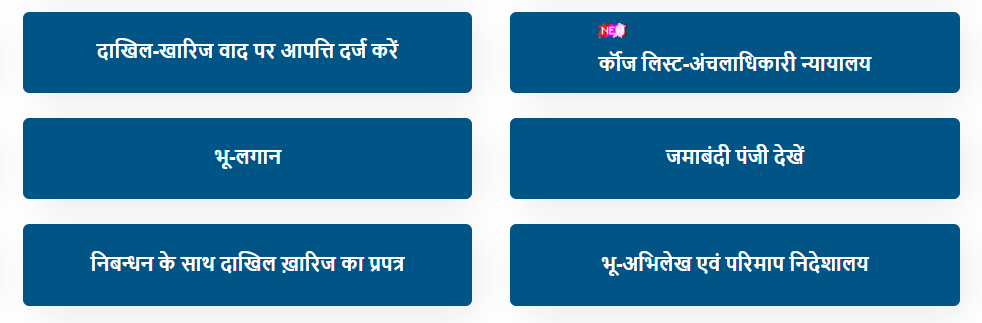
- Step 2. Select District and Circle and Click Proceed.
- A new page will open where you need to select your District, Circle, and Mauza (village/locality).
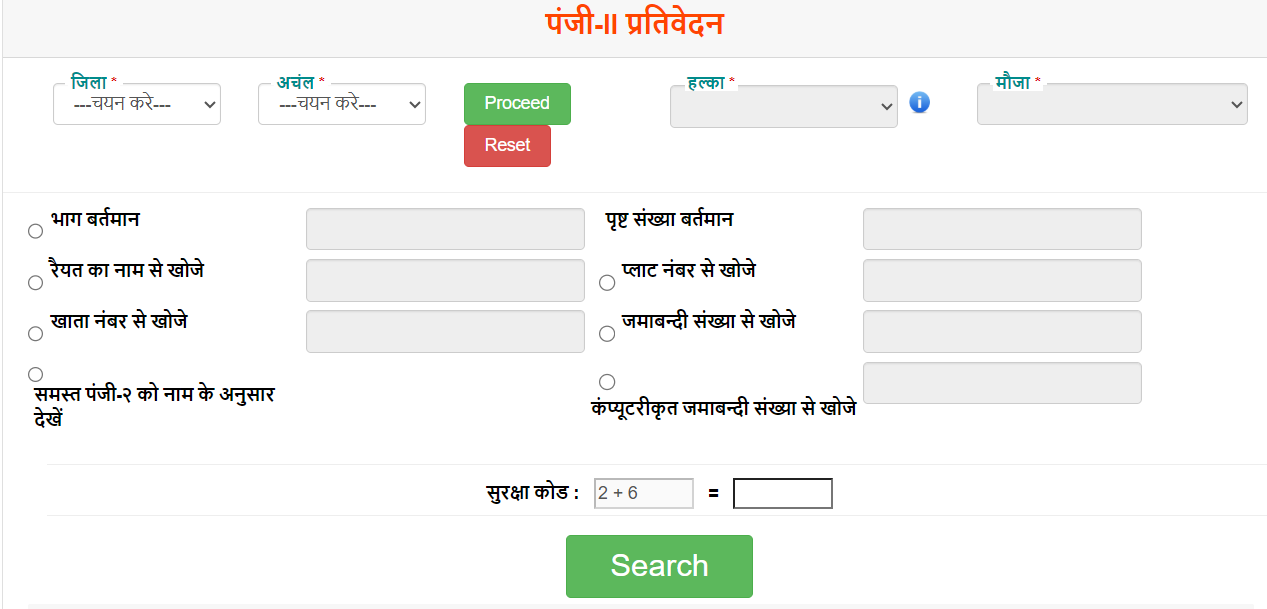
- Step 3. Enter search criteria You can now choose from several options to search for the land: by
- Raiyat’s name (Search by Name),
- Khata number
- Khesra number (Plot)
- Jamabandi number.
- Stepp 4. View and download details.
- Enter the captcha code and click on ‘Search‘.
- A list of land records will appear.
- Click on ‘View‘ (the eye icon).
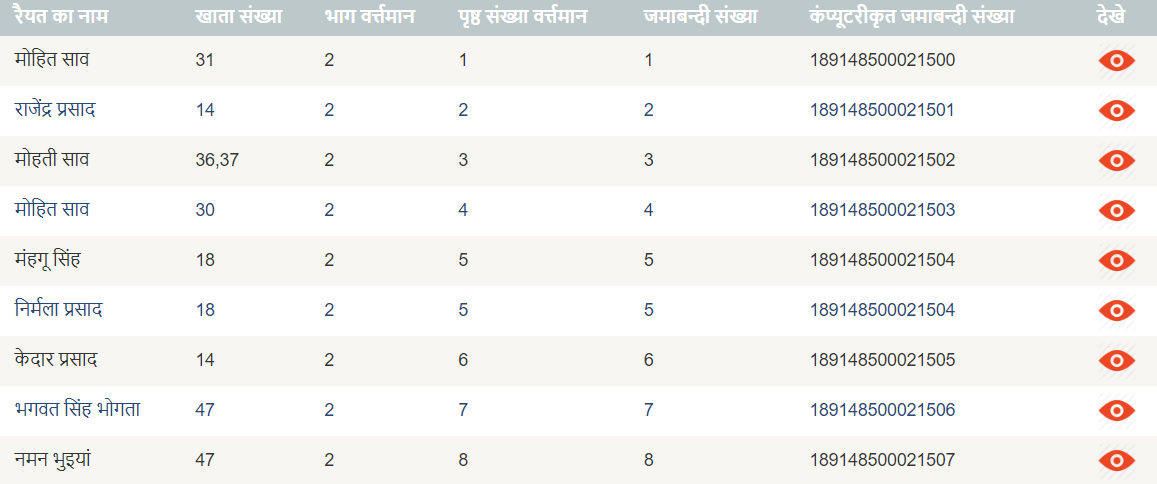
- Next to your name to download the digital copy.
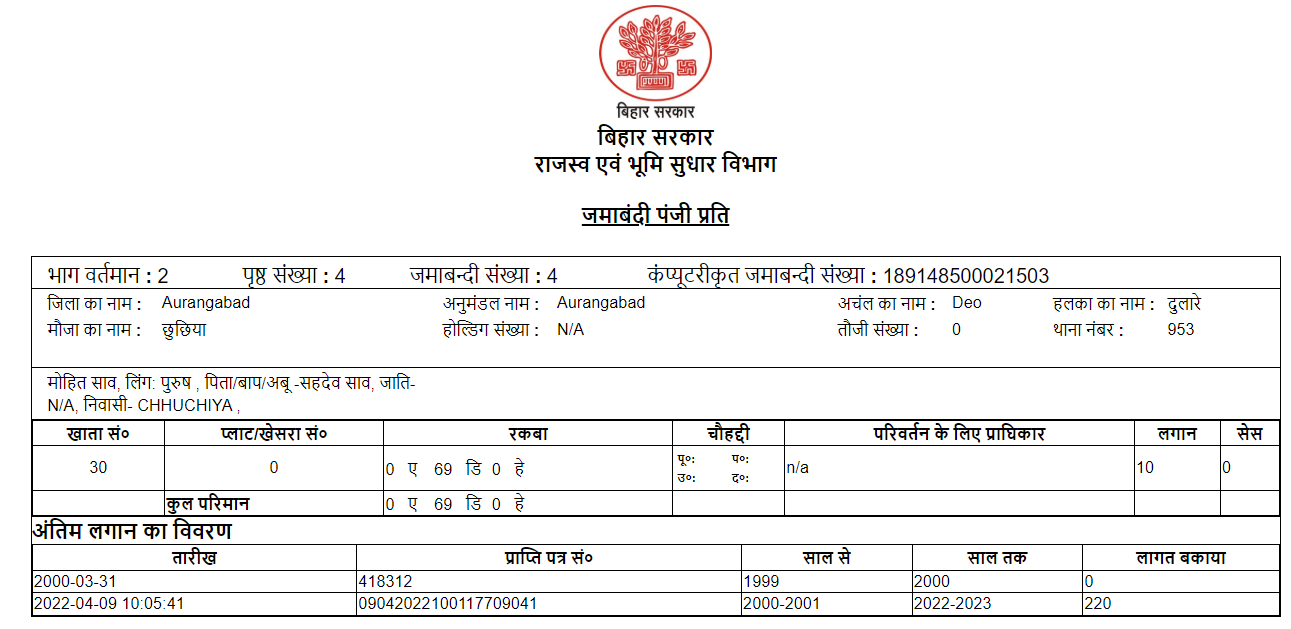
View RoR Khatiyan Bihar
Bihar Bhumi is the official online portal of the Department of Revenue and Land Reforms, Government of Bihar. It allows citizens to view, verify, and manage land records digitally without visiting government offices.
If you wish to view your land records (RoR – Record of Rights) in Bihar, you no longer need to make rounds of government offices. With the help of the Bihar government’s ‘Bihar Bhumi’ portal, you can view details regarding your land’s Jamabandi, Khata, Khesra, and Raiyat information online from the comfort of your home.
| Description | Information |
|---|---|
| Service Name | Bihar Bhumi ROR |
| Department | Revenue and Land Reforms Department, Bihar |
| State | Bihar |
| Record Type | Jamabandi / ROR (Record of Rights) |
| Mode | Online |
| Fee | Free of Cost |
| This site url | https://biharbhumi-bihar.com/ |
How to Check Bihar Apna Khata Bihar?
- First, open the official website of Bihar Bhumi.
- Now Select Your Distirict form Map.
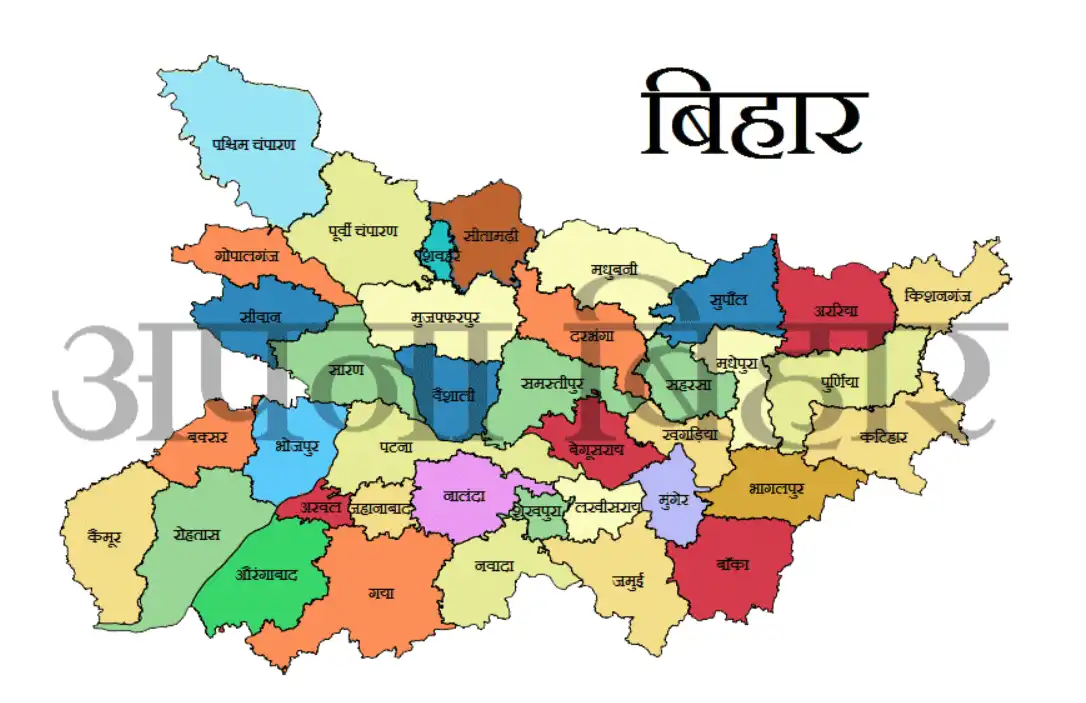
- Select your Anchal.
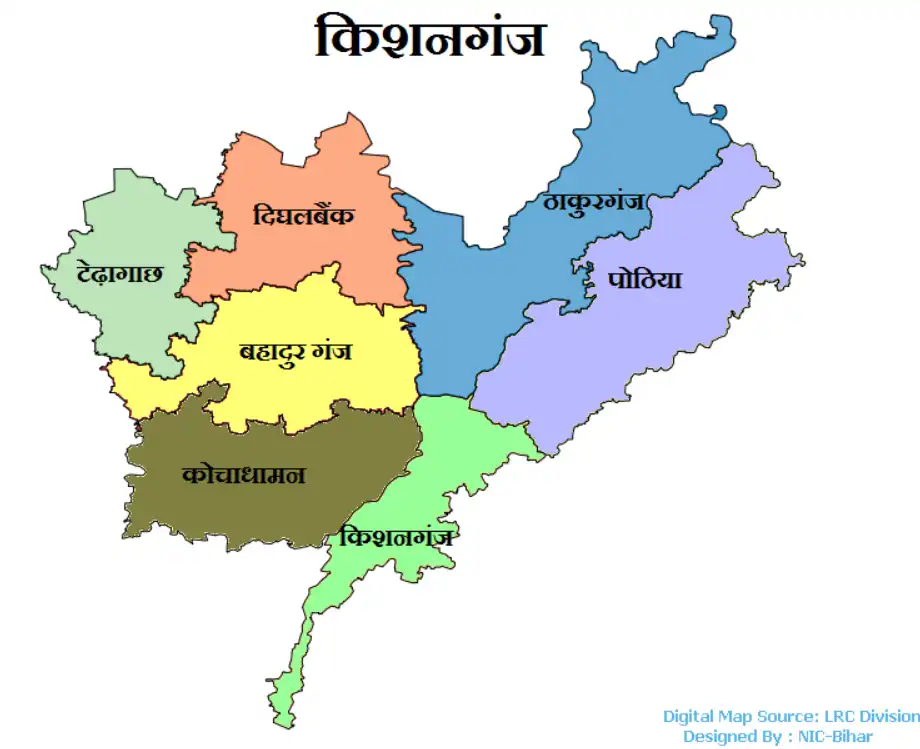
- Now, select your village or Mauza.
- If problem to search your village then select form Keyboard.
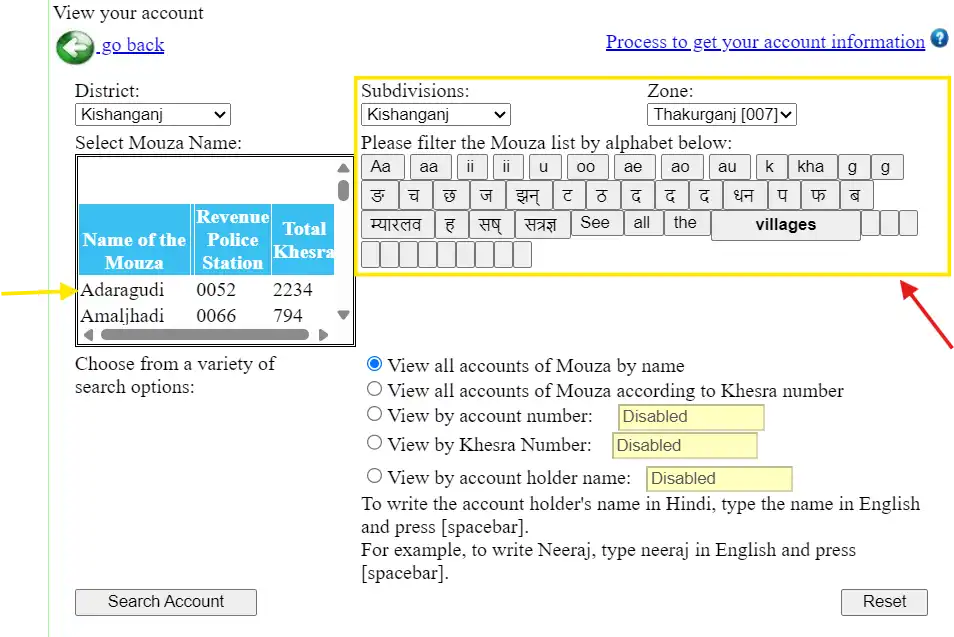
- Click on the ‘Search’ button.
- The relevant land record will now be displayed.
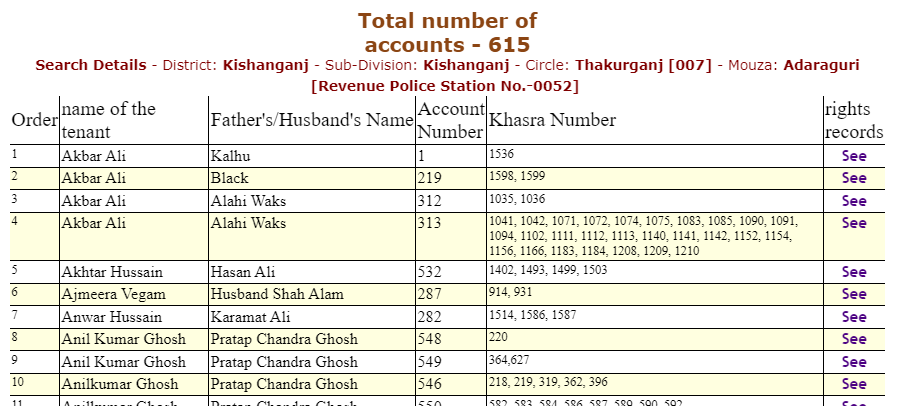
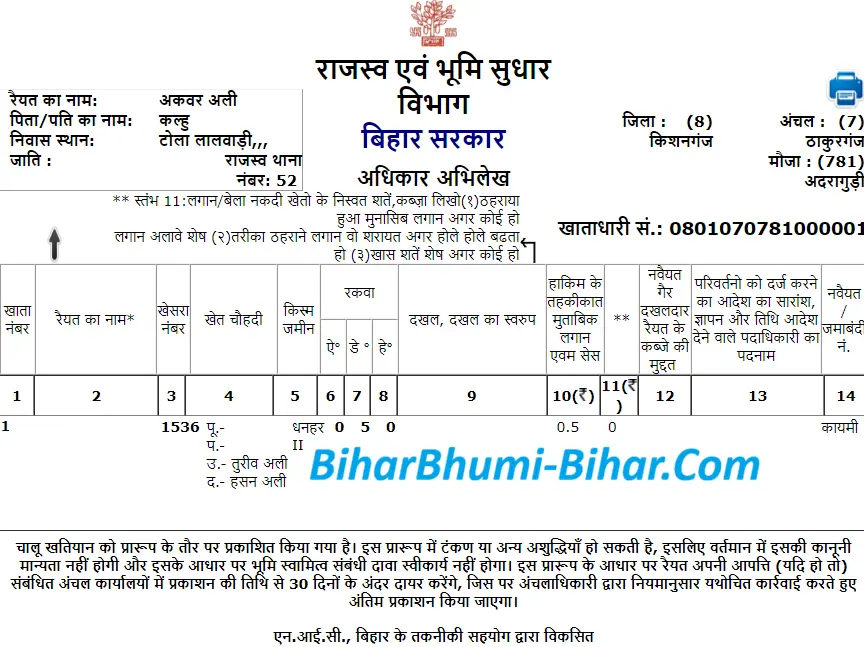
- Here, you will find the following information:
- Name of the landholder (Raiyat)
- Name of father/husband
- Khata number
- Khesra number
- Land area
- Jamabandi number
- Land category
Download ROR
- After opening the record, you can:
- Print it
- Save it as a PDF
- Download it for future use
What is Bihar Bhumi ROR?
This is the official Record of Rights (ROR) for the land, containing complete details about the owner and the land itself.
Can the Bihar Bhumi ROR be viewed for free?
Yes, viewing records online is completely free.
Is an online record legally valid?
Useful for general information and verification. A certified copy issued by the department may be required for official use.
Can the ROR be viewed on a mobile phone?
Yes, it can be viewed on mobile phones, tablets, and computers.